Login #
The ‘Good Day’ product requires users to identify themselves through a login authentication step.
The login form requires two data inputs:
- The user email address
- The user password

If the login fails, a red banner will appear at the bottom of the web page display, highlighting the problem.
After a successful login, the authentication credentials are stored in a browser cookie. For all subsequent ‘Good Day’ sessions, the login process uses the cookie data to automatically authenticate the user, bypassing the need for a login step.
The cookie will expire at some point, and the user will be required to re-authenticate using the login form.
Logout #
The user may wish to log out at the end of a Good Day session. This is not essential, but a step that will ensure that unwarranted access is avoided.
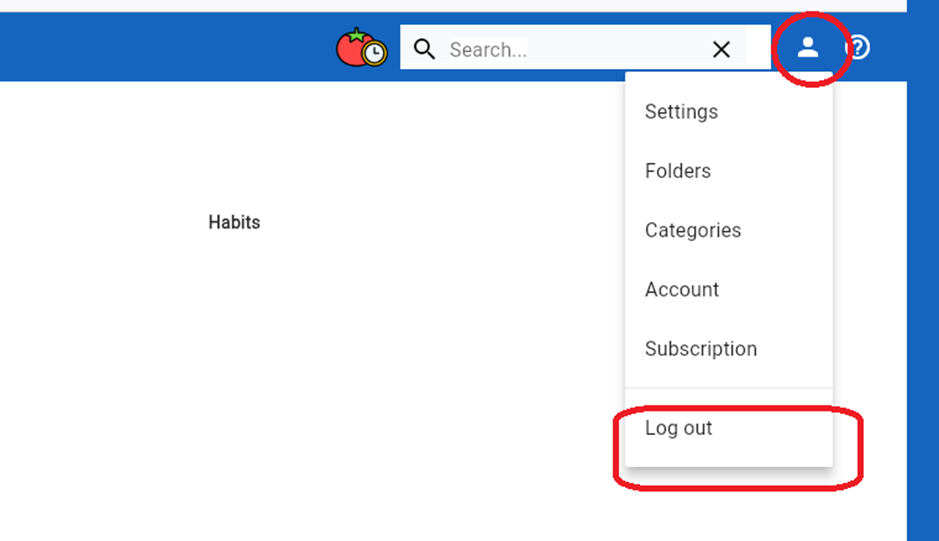
To perform a log-out action:
- Click on the human head symbol in the banner bar’s top right corner.
- A drop-down menu will appear. Click on the ‘Log out’ menu item
- After selecting the ‘Log out’ menu item, the web page display will change to show the login screen