The goals page is the starting point for all goal-related actions.

The goals list page will display a list of goals that match the active list filter:
- All: will show all goals, both open and closed.
- Open: will only show open goals
- Active: will only show goals that are ‘In progress’ (the current date if on or after the goal start date)
- Scheduled: will only show goals that have a scheduled finish date set
- No plan:: will only show goals that do not have a scheduled date set.
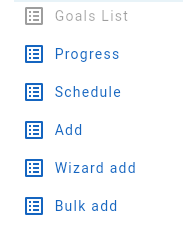
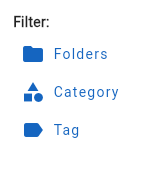
To the left of the goals list is the goal action panel. This has two groups of buttons:
The first block of buttons support functions for viewing all goal progress, goal scheduling and adding new goals
The second block of buttons provides extra goal list filtering options to filter the listl by folder, category or tag.
In the goal list, with each goal list entry:
- Click over the left side goal icon to open a pop up menu
- Click anywhere else on the goal entry to edit/change the goal
- Swipe a goal list entry to delete it (by default, swipe left)
- Swipe a goal list entry to set its status to complete (by default, swipe right)