The Good Day app includes a Pomodoro timer. Tap the tomato icon in the main title toolbar to show the timer.

To end a Pomodoro session, or hide the timer display, tap on the tomato icon.

Changing Pomodoro session configuration #
The length of the Pomodoro session and its different phases can be configured by clicking on the gear box ‘Configure’ icon.
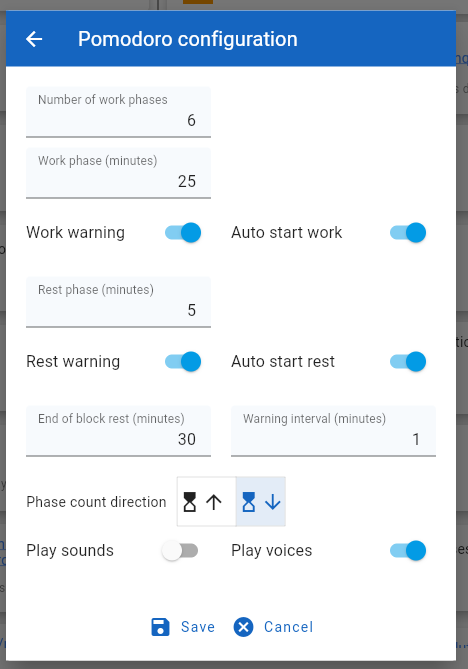
Update the values as required and tap on the ‘Save’ button to save these as the new session parameters.
Starting a Pomodoro session #
Tap on the forward arrow ‘Start’ icon to start a Pomodoro session. After the session has started, the display will change to show a progress circle and a new set of icons.
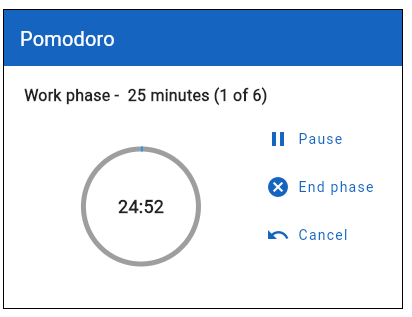
From this in progress toolbar:
- The first ‘||’ icon will suspend or halt the Pomodoro session.
- The black cross icon will end the current phase
- The undo icon will terminate the whole session
The grey progress circle will show progress and time remaining for the current phase.