For those unsure about the process of adding and shaping new goals, there is a ‘New Goal Wizard’ form that will take the user through a step by step process of defining a goal.

To activate the wizard, click on the ‘Wizard add’ button in the actions panel. At that point the pop up wizard form will displayed.

Click on the ‘Next’ button at the bottom right of the form to start the wizard process.
The first step is choose what category of goal your new goal might fall within.

Having selected the category, click the ‘Next’ button to continue.
The next wizard step asks the user to describe the goal in terms of personal motivations and any desired achievements. It also prompts the user to define a short title for the goal and a relative or specific timeframe by which they wish to complete it.
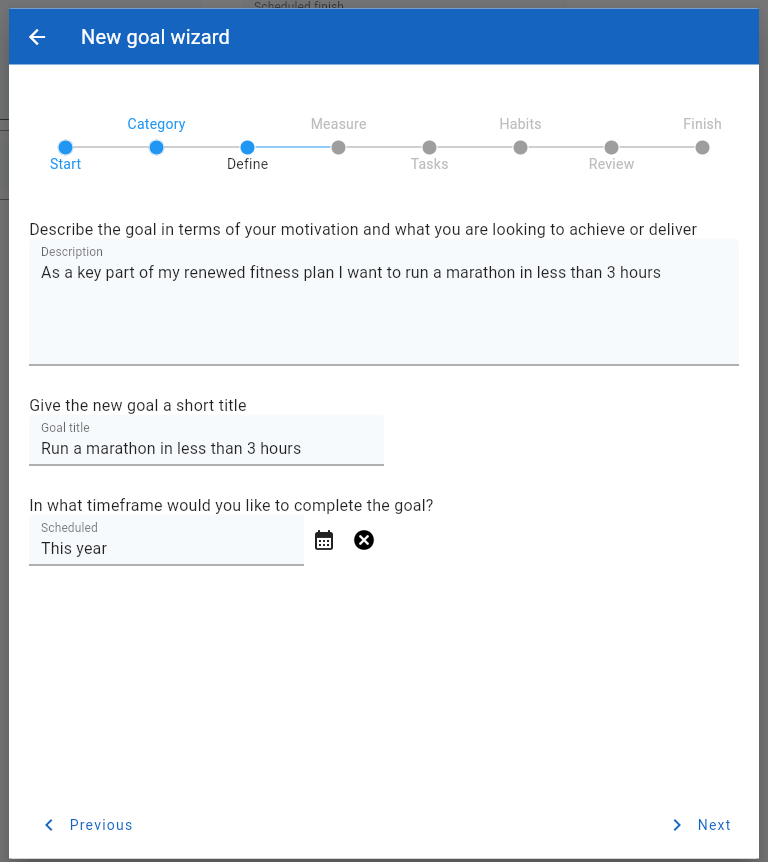
When these inputs are complete, click the ‘Next’ button to continue to the next step.
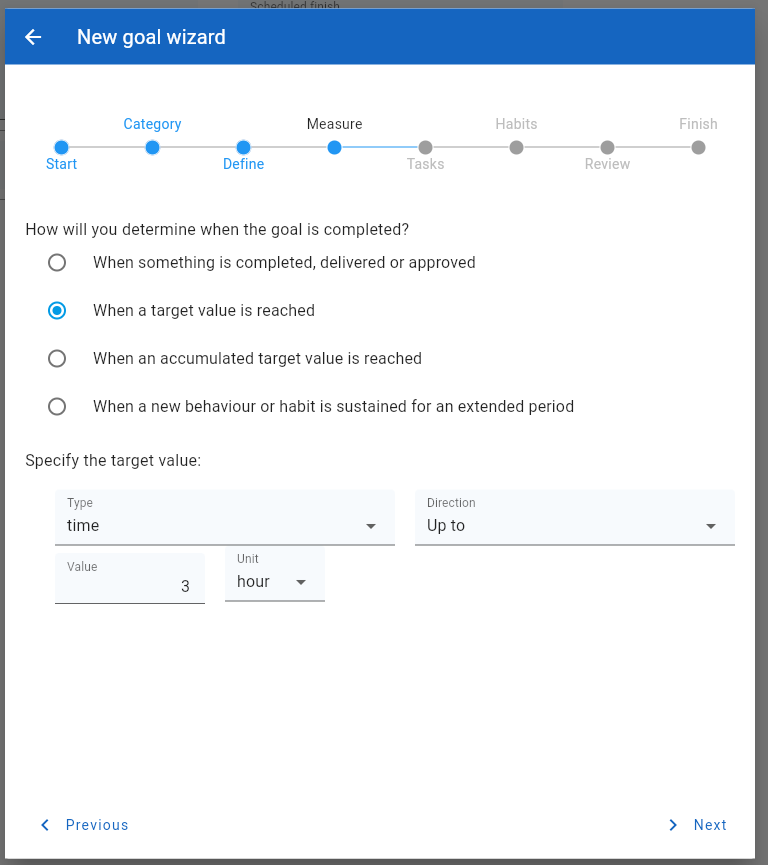
The next stage asks the user to identify how and when the goal will be completed.

The form asks the user to define how a goal is measured as completed, and also whether there are any ways of tracking progress towards that finish line.
The next stage asks the user to identify any tasks that need to be completed as part of the journey towards completing the goal

The next step asks the user to identify an behavioural changes or new habits they need to adopt to help with achieving the goal.

The final step shows a summary of the data entered by the user for the new goal
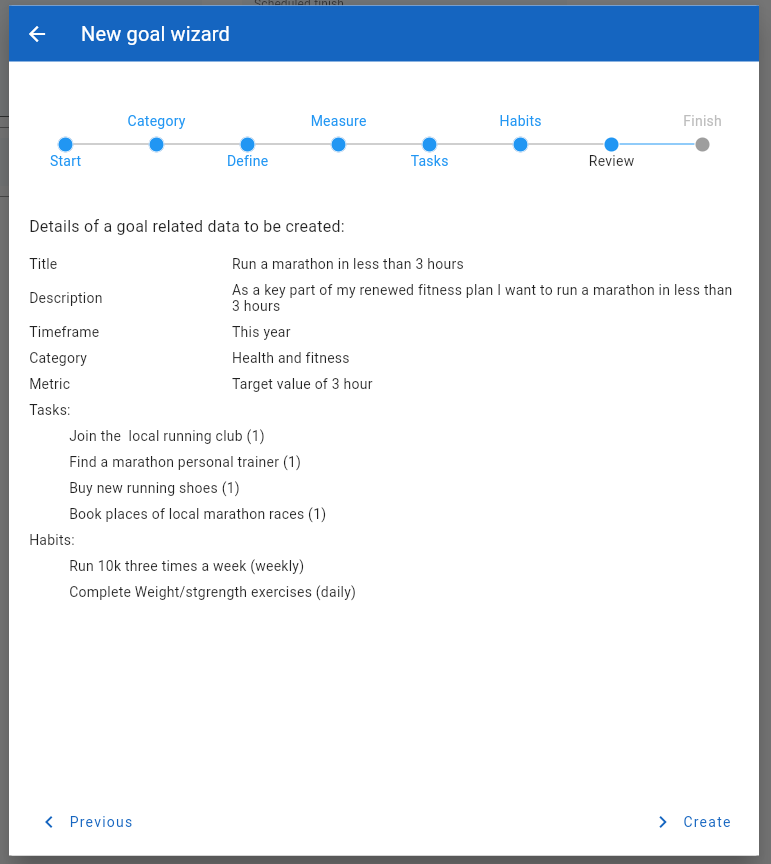
Clicking on the ‘Create’ button will then proceed to create the goal and any subordinate data.
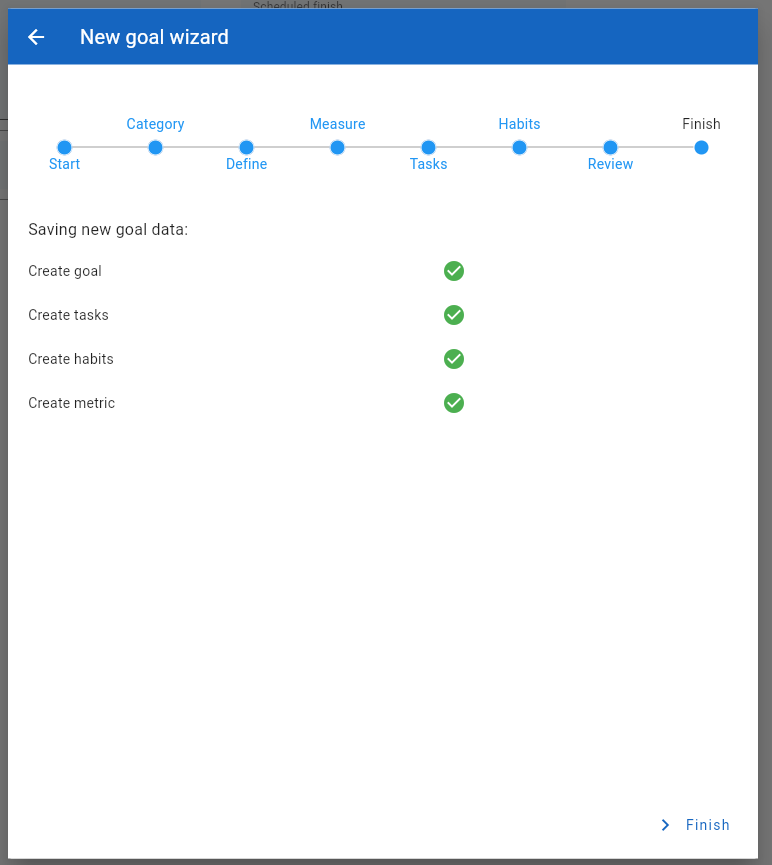
The goal wizard will finish showing a summary of the actions completed.
Click on the ‘Finish’ button to return to the main goals page.