Both the “Today” page and “Tasks” page provide a facility for creating multiple tasks.
This is a useful facility where a user knows that a long list of tasks need to be created.
The ‘bulk add’ task feature is accessed from one of two locations.

Each option when clicked will open the ‘Add tasks’ form.
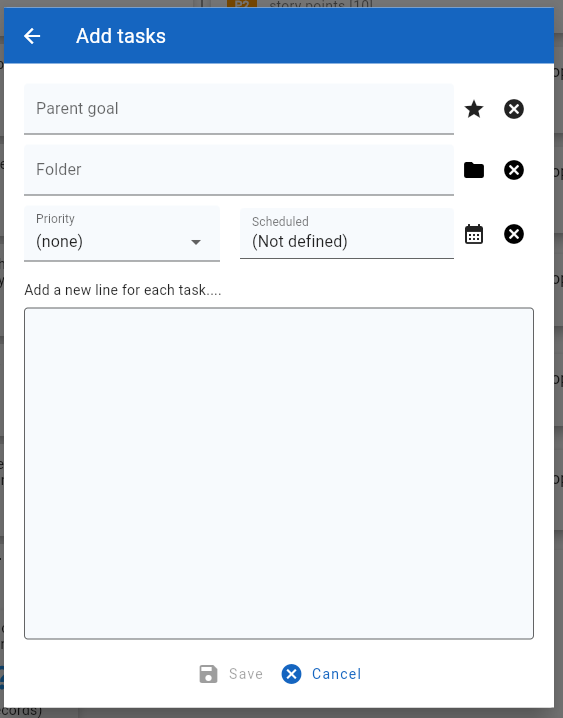
Each new task is represented by a new line in the main edit control. Optionally, the user may set the parent goal, folder , priority or scheduled date that will be applied to all tasks.
Once the user has completed the inputs, clicking on the ‘Save’ button will create the required tasks.