What is a journal? #
A journal entry is a narrative note created by a user to capture their thoughts and considerations.
A journal entry can be of any length and can be created:
- At any time by a user independent of other actions.
- As part of the planning process, where a user may record their thoughts at the start and end of each planning cycle.
The journal feature recognises three types of journal entry:
- Simple Journal entry – a narrative note
- What went well entry – a note used to record the experiences and details of an episode that was successful and went well
- Lessons learnt entry – a note used to record the experiences and details from a situation where lessons may be learnt
The different journal entry types are provided as a way of quickly finding information of each type.
Journal Page #
Good Day includes a journaling feature that allows users to capture their thoughts and considerations at any point during the day.

To access the Journal click on the ‘Journal’ button in the main features panel. This will open the journal page.
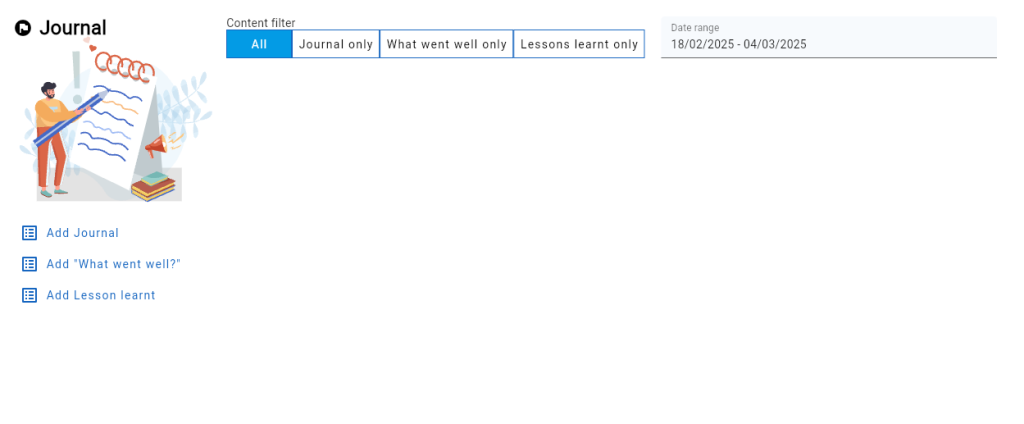
The journal page is comprised of several sections:
- The Content filter panel at the top of the page allows the user to choose to limit what journal entries are displayed within the page, by type and date.
- The Action panel on the left side of the page includes command buttons for adding new journal entries.
- The data area in the centre of the page is used to display the journals matching the current filters
Add a new journal entry
To create a new journal entry, simply click on one of the command buttons located in the left side action panel.
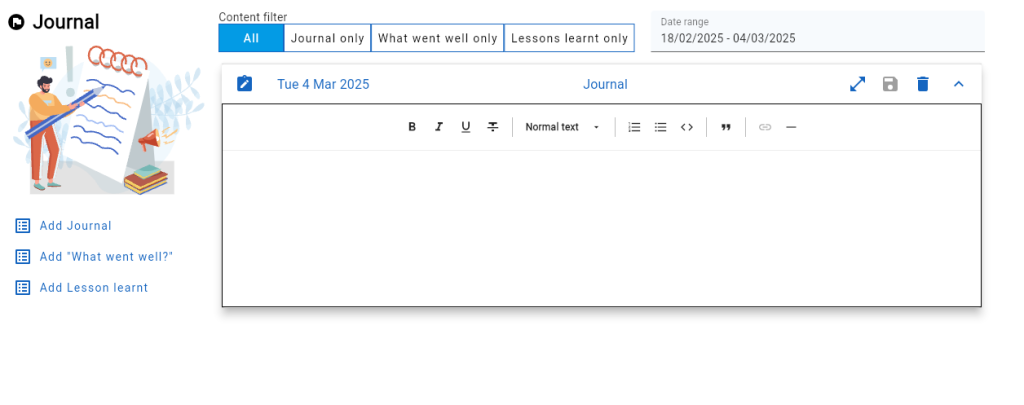
Clicking on any of the three add buttons will add a new journal entry to the top of the data area list. The user may now proceed to write a journal entry into the new journal input text control.
Each journal entry has its own text input panel. The panel incudes a number of buttons for managing the journal entry.


